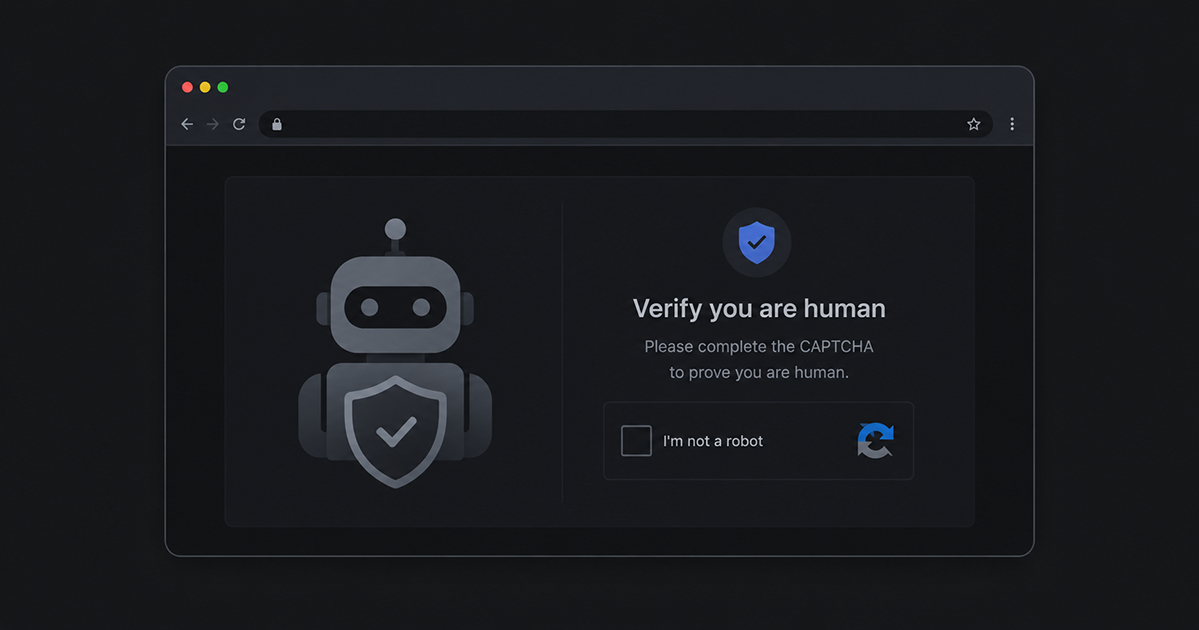
You visit a website. A familiar-looking popup appears: "Verify you are human." It looks like a standard CAPTCHA, the kind you've clicked through hundreds of times. But this one is different. Instead of asking you to identify traffic lights, it tells you to press a keyboard shortcut and paste something. If you follow the instructions, you've just handed control of your computer to an attacker.
This is ClearFake, one of the fastest-growing browser-based attacks of 2025 and 2026. It doesn't exploit a software vulnerability. It exploits trust.
How ClearFake works
ClearFake injects fake content into legitimate websites. The site owner usually has no idea their pages have been compromised. When you visit an infected page, ClearFake shows you what looks like a browser update prompt, a CAPTCHA, or a verification dialog.
The attack follows a simple pattern:
- You visit a compromised website. It can be any site: a blog, a news site, a small business page. The attacker injected malicious code through an ad network, a vulnerable plugin, or a compromised hosting account.
- A fake dialog appears. It might say "Verify you are human," "Your browser needs an update," or "Complete this security check." It looks real because it mimics familiar UI patterns.
- It writes a malicious command to your clipboard. Without you doing anything, a PowerShell or terminal command is silently copied to your clipboard. You don't see this happen.
- It tells you to paste and run it. The dialog instructs you to open Run (Win+R) or Terminal and paste. The instructions feel like a legitimate verification step.
- The command executes. If you follow the instructions, the pasted command downloads and runs malware. Common payloads include info-stealers (Lumma, Vidar) that grab passwords, cookies, crypto wallets, and session tokens.
The entire attack takes under 30 seconds. No software exploit, no zero-day, no antivirus alert. Just a person following instructions that looked legitimate.
Why it's called ClearFake
Security researchers named it ClearFake because early versions injected fake browser update notifications (the "fake" part) using cleartext JavaScript that was easy to read (the "clear" part). The attack has since evolved significantly, but the name stuck.
A related variant called ClickFix uses the same clipboard-and-paste technique but focuses specifically on fake error messages. "Something went wrong. Click here to fix it." Same outcome, different disguise.
Why traditional antivirus misses it
ClearFake is effective because it operates in a blind spot:
- No malicious file is downloaded until the user runs the pasted command. Antivirus scans files, not clipboard contents.
- The malicious page is a legitimate website. URL reputation checks pass because the domain itself isn't malicious. It's just been compromised.
- The user initiates the action. From the operating system's perspective, the user opened Run, typed a command, and pressed Enter. That's normal behavior.
- The command is obfuscated. The pasted PowerShell script is typically encoded or uses download cradles that don't match simple signature patterns.
By the time traditional security tools could detect something, the info-stealer has already run, grabbed what it needed, and sent it to the attacker.
Who is being targeted
Everyone. ClearFake doesn't target specific people or organizations. It compromises popular websites and waits for visitors. If you browse the web, you're a potential target.
That said, the attack is especially dangerous for:
- Non-technical users who are accustomed to following on-screen instructions without questioning them
- Anyone who handles sensitive accounts like banking, email, or crypto wallets
- Remote workers whose compromised credentials could give attackers access to company systems
How to protect yourself
The good news is that ClearFake relies entirely on tricking you. If you know what to look for, you can avoid it:
Know the red flags
- Any page that tells you to open Run, Terminal, or PowerShell is suspicious
- Real CAPTCHAs never ask you to paste anything
- Browser updates happen automatically, not through popups on random websites
- If a "verification" step involves keyboard shortcuts like Win+R or Ctrl+V, it's an attack
Use browser-level protection
Since the attack happens inside your browser, that's where the defense needs to be. Browser extensions that monitor clipboard activity and detect social engineering patterns can catch ClearFake before you interact with it.
Intersafe was built specifically for this. It detects fake CAPTCHAs, blocks malicious clipboard writes, and warns you before you can follow the attacker's instructions. All detection happens locally in your browser. Nothing is sent to a server.
Keep your browser updated
Modern browsers are adding protections against clipboard manipulation. Make sure auto-updates are enabled.
Be skeptical of urgency
Attackers create urgency because it stops you from thinking. "Your browser is out of date." "Verify now or lose access." Legitimate services don't pressure you into running commands.
What to do if you've been hit
If you followed the instructions on a fake CAPTCHA or browser update page:
- Disconnect from the internet immediately to stop any data from being sent
- Run a full antivirus scan with your existing security software
- Change your passwords from a different, clean device. Start with email, banking, and any accounts that were logged in on the affected browser
- Check for unauthorized access to your accounts. Look for unfamiliar logins, password reset emails you didn't request, or transactions you didn't make
- Enable two-factor authentication on all important accounts if you haven't already
Info-stealers work fast, often exfiltrating data within seconds of execution. The sooner you act, the better.
The bigger picture
ClearFake represents a shift in how attacks work. Instead of finding software vulnerabilities, attackers are finding human vulnerabilities. They build interfaces that look trustworthy, use language that sounds official, and rely on the fact that most people have been trained to follow on-screen instructions.
The best defense is awareness combined with tools that watch for the patterns you might miss. Stay skeptical of anything that asks you to paste commands, keep your browser and security tools up to date, and share what you've learned with the people around you. Most victims of ClearFake had never heard of it before they were hit.
Intersafe detects and blocks ClearFake, ClickFix, and similar attacks automatically. Free, private, and built for exactly this.
Add Intersafe to your browserIntersafe protects the browser on your computer, not your phone. Send yourself the link and open it there.