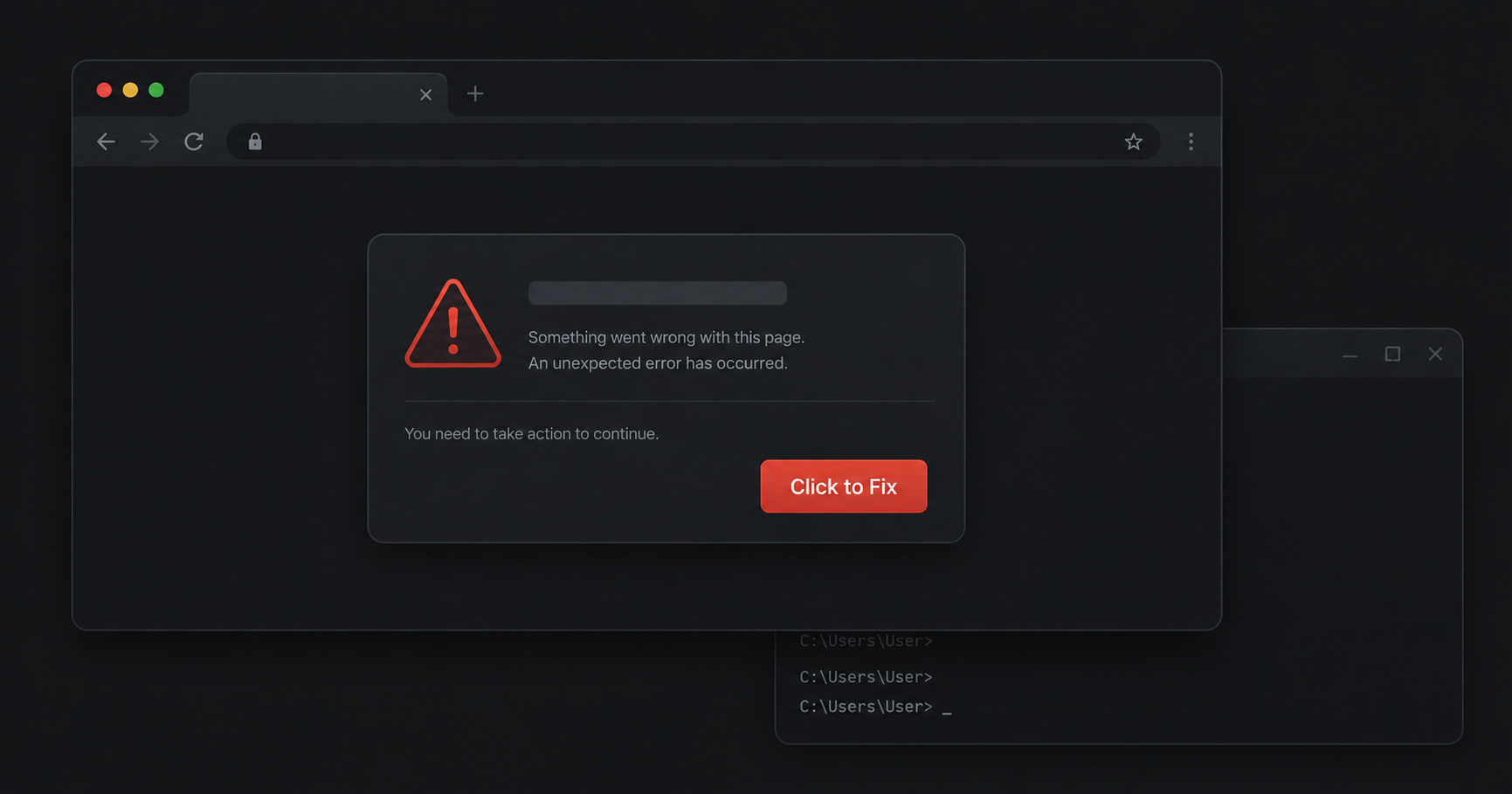
You're browsing a website. A message appears in a box: "Something went wrong on our end. To continue, follow the steps below to fix it." The instructions look simple, open a dialog, paste something, press Enter. It feels like a routine troubleshooting step. You've done things like this before.
If you follow those instructions, you've just run malware on your own computer.
This is ClickFix, one of the fastest-growing cyberattacks of 2025 and 2026. It doesn't break into your computer. It convinces you to do it yourself.
How ClickFix works
ClickFix shows up on compromised websites, malicious ads, and increasingly on pages you'd never expect to be dangerous. When you land on an affected page, a fake error or verification dialog appears. Behind the scenes, it has already copied a malicious command to your clipboard, silently, without any obvious sign.
The attack follows a consistent pattern:
- You land on a page with a ClickFix overlay. It could be a compromised news site, a blog, a small business page, or even a result you clicked from a search ad. The attacker injected the overlay through a vulnerable plugin, a compromised ad network, or a hacked hosting account.
- A fake dialog appears. It might say "An error occurred. Click here to fix it," "Verify you are human to continue," or "Your browser is missing a required component." It looks like a standard system prompt or website notification.
- It writes a malicious command to your clipboard. While you're reading the instructions, the page silently runs JavaScript that copies a PowerShell or terminal command to your clipboard. You don't see this happen.
- It tells you to paste and run it. The instructions direct you to press Win+R (Windows) or open Terminal (Mac), paste from your clipboard, and press Enter. The framing makes this feel like a legitimate fix, a standard step to resolve whatever "error" the page described.
- The command executes. What you pasted downloads and runs malware. Common payloads are info-stealers, software designed to silently grab passwords, browser cookies, crypto wallets, and saved credit cards, then send them to the attacker. The whole process takes under 30 seconds.
The page never needed to find a vulnerability in your software. You provided the access yourself.
Why it's called ClickFix
Researchers named it ClickFix because the lure always frames the attack as a fix. "Something went wrong. Click here to fix it." The name captures the core manipulation: a fake problem that requires a fake solution, which is actually malware.
ClickFix is closely related to ClearFake, which uses the same clipboard-and-paste mechanic but tends to appear as fake browser update prompts or fake CAPTCHAs. ClickFix focuses specifically on error messages and "fix it" instructions, same outcome, different disguise. Both attacks belong to the same family. In practice, researchers now use the names interchangeably for attacks that use this technique.
Why traditional antivirus misses it
ClickFix works precisely because it avoids every layer that traditional security tools monitor:
- No malicious file is downloaded until after you act. Antivirus software scans files. Until the command runs and pulls down a payload, there is nothing to scan.
- The page looks legitimate. The domain isn't flagged because it often isn't malicious, it's a real website that was compromised. URL reputation checks pass.
- You initiated the action. From the operating system's perspective, a user opened the Run dialog, typed a command, and pressed Enter. That's normal user behavior. There's no intrusion to detect.
- The command is obfuscated. The pasted script is typically encoded in Base64 or uses chained download commands that don't match simple antivirus signatures.
By the time traditional security tools could flag anything, the info-stealer has already run, collected what it came for, and reported back to the attacker.
Who is being targeted
Everyone who uses a browser. ClickFix compromises legitimate, popular websites and waits for visitors to arrive. You don't have to be doing anything unusual to encounter it.
That said, some people are at higher risk:
- Non-technical users who are used to following on-screen instructions and have no reason to question a step that looks technical
- Remote workers whose browser sessions include access to company email, VPNs, internal tools, and shared drives
- Anyone with crypto wallets or financial accounts open in their browser, since info-stealers prioritize these targets
- Developers and IT professionals, who are increasingly targeted because they're more comfortable running terminal commands and may be less suspicious of a command-line instruction
Microsoft's security team reported that ClickFix-style attacks were responsible for nearly half of all observed initial access attempts in early 2026. This is not a niche threat.
How to protect yourself
The good news is that ClickFix relies entirely on tricking you into taking action. Understanding what to look for breaks the attack before it starts.
Know the red flags
- Any website that asks you to open Run, Terminal, or PowerShell is suspicious, legitimate websites have no reason to do this
- Real error messages don't ask you to paste anything
- If a "fix" involves keyboard shortcuts like Win+R or Ctrl+V, it's an attack
- Urgency and vague error descriptions ("something went wrong," "your browser needs a component") are social engineering, not real system messages
Use browser-level protection
ClickFix lives and operates entirely inside your browser. That's where the defense needs to be. Browser extensions that monitor clipboard activity and detect social engineering patterns can catch ClickFix before you have a chance to follow its instructions.
Intersafe was built specifically for this. It detects fake error overlays, blocks malicious clipboard writes before they reach your clipboard, and warns you when a page is showing social engineering patterns. All detection runs locally in your browser, nothing is sent to a server.
Keep your browser updated
Modern browsers are adding protections against unauthorized clipboard manipulation. Keeping your browser up to date means you benefit from these improvements automatically.
Be skeptical of urgency
ClickFix always creates a sense of urgency. "Your session will expire." "Fix this now to continue." "Required for security compliance." Legitimate services don't ask you to run commands to resolve an issue. If a message is pressuring you to act immediately, that pressure is the attack.
ClickFix is evolving
Unlike most malware campaigns that rely on a fixed technique, ClickFix has continued to adapt. What started as fake error overlays on compromised websites has expanded into more sophisticated delivery methods:
- Trusted platforms as lures. Attackers now plant ClickFix instructions inside legitimate pages on platforms like Medium, Google-sponsored results, and even shared conversations on ChatGPT and Claude. The URL is real. The domain passes every safety check. Only the content is malicious.
- macOS is now a target. ClickFix campaigns targeting Mac users instruct them to open Terminal and paste a command that silently downloads and launches malware, without the standard Finder dialogs that would normally make this visible.
- Multiple malware families use it. ClickFix has become a delivery platform, not a single campaign. Security researchers have identified multiple distinct malware loaders (BabaDeda, Potemkin, Lorem Ipsum) all using ClickFix as their entry point.
The core technique stays the same: get the user to paste something they didn't write. The settings and disguises keep changing.
What to do if you've been hit
If you followed the instructions on a ClickFix page:
- Disconnect from the internet immediately to stop data from being sent to the attacker
- Run a full antivirus scan with your existing security software
- Change your passwords from a different, clean device, start with email, banking, and any accounts you were logged into during the session
- Check for unauthorized access, look for unfamiliar logins, password reset emails you didn't request, or transactions you didn't make
- Enable two-factor authentication on all important accounts if you haven't already
Info-stealers move fast. They are designed to collect and transmit data within seconds of execution. Act as quickly as you can.
The bigger picture
ClickFix represents a deliberate shift in how attackers think. Breaking into software requires finding a vulnerability, exploiting it before it's patched, and evading detection. Convincing a person to run a command themselves requires none of that. It just requires a convincing enough message.
The result is an attack that scales cheaply, bypasses virtually all traditional security tooling, and works on any operating system and any browser. Security researchers have documented it affecting users on Windows, macOS, and Linux. It has been used to deliver ransomware, banking trojans, crypto-stealers, and remote access tools.
The best defense is awareness combined with tools that catch what you might miss. If you know that no legitimate website will ever ask you to paste a command into Run or Terminal, you've already neutralized the core technique. Share that with the people around you. Most ClickFix victims had never heard of it before they were hit.
Intersafe detects and blocks ClickFix, ClearFake, and similar attacks automatically. Free, private, and built for exactly this.
Add Intersafe to your browserIntersafe protects the browser on your computer, not your phone. Send yourself the link and open it there.